Skip to content
Log inGet started free
Win rates and forecasts

See what's working, from first touch to won.

Win rate, deal size, time to close, the conversion funnel and lead sources in one view, plus open and click rates for recent campaigns.

Analytics
Win rate
26%
Avg deal size
$4.0K
Avg time to close
21 days
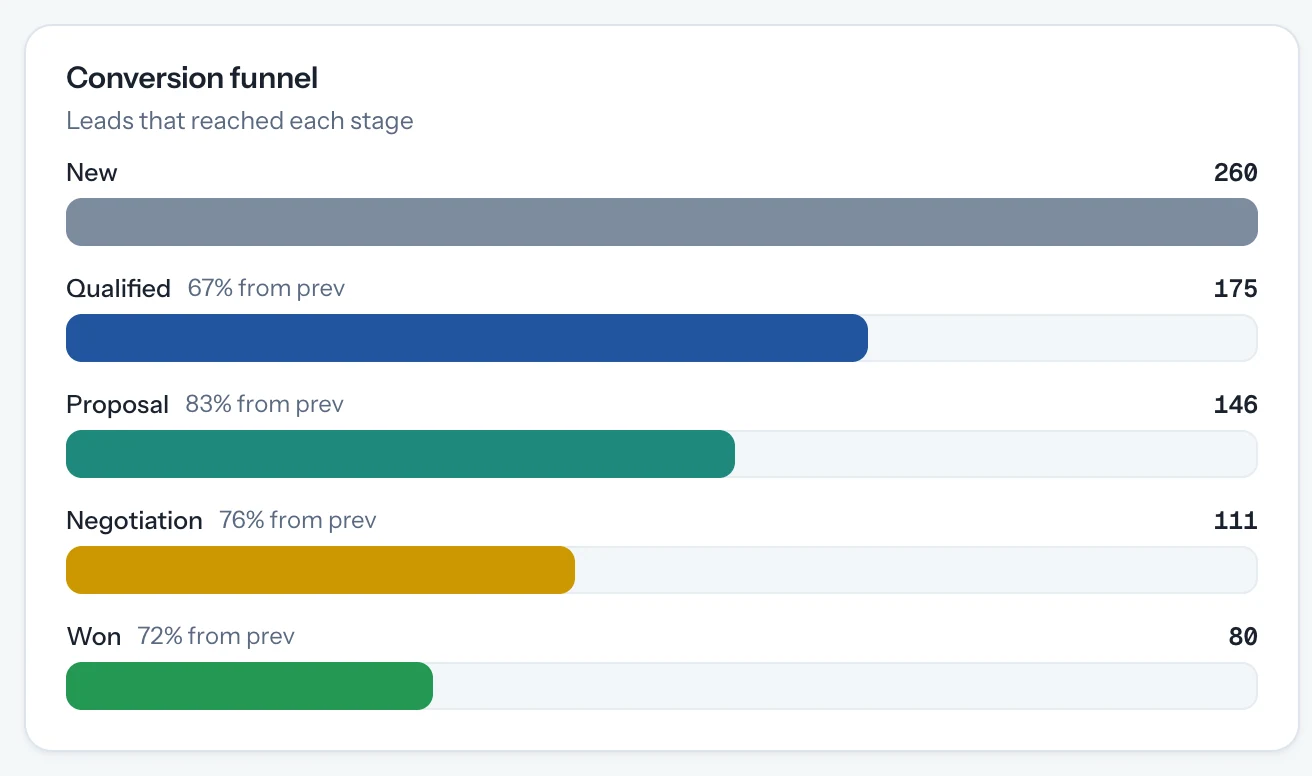
Conversion funnelWon · 9 leads · 64% from Negotiation
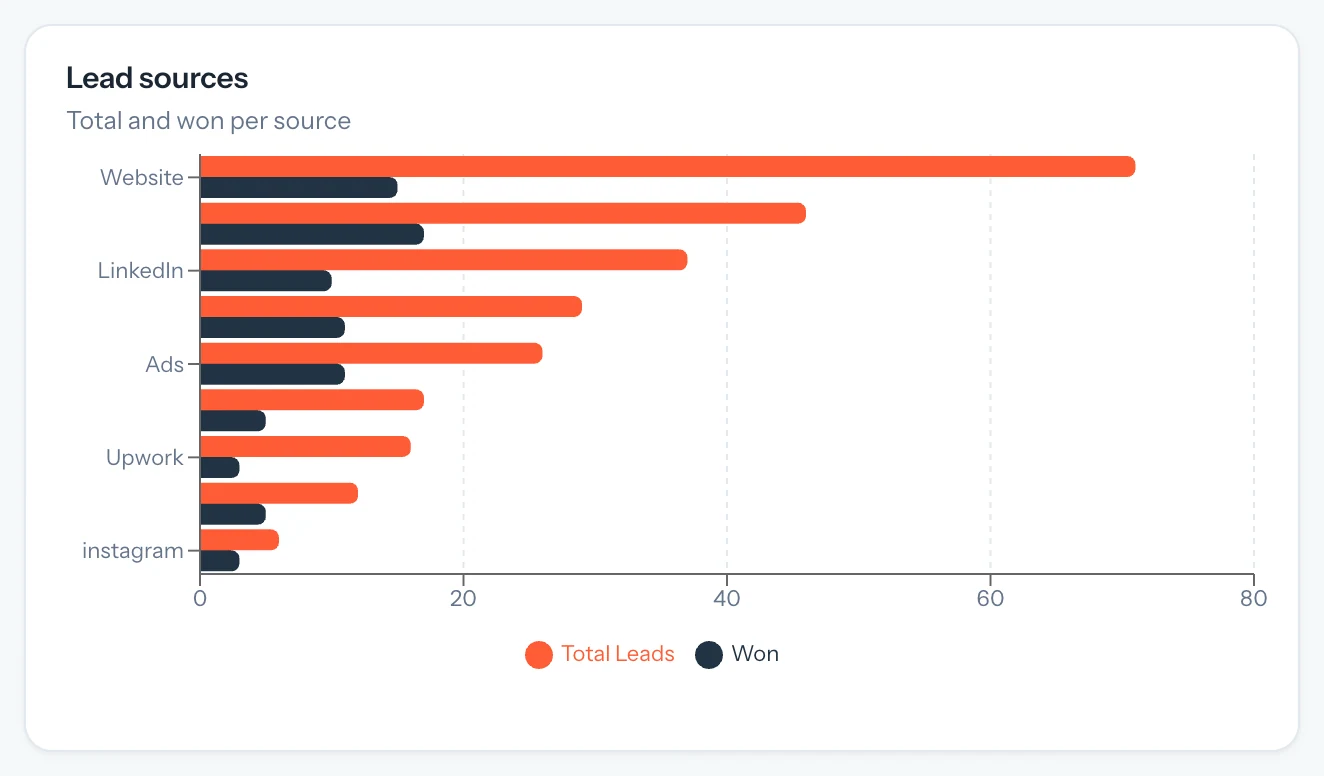
Lead sources · total and won
  • Upwork3/17
  • Website2/15
  • LinkedIn2/12
  • Referral2/8
Live demo · change the range, point at a stage
Before and after

See what's working. Without building a report.

Exports and pivot tables answer last month's question. By the time they're ready, the pipeline has moved.

  • Find where deals drop off
    Exportpivot tablechart
  • Know which channel pays
    UTM sheetmanual matching
  • Check a campaign
    Email tool reportseparate tab
Performance analytics

The numbers behind your pipeline.

Total leads, win rate, average deal size and average time to close, calculated from the deals your team already tracks.

  1. Analytics reads stages, values and sources straight from your leads, so it stays current without exports.
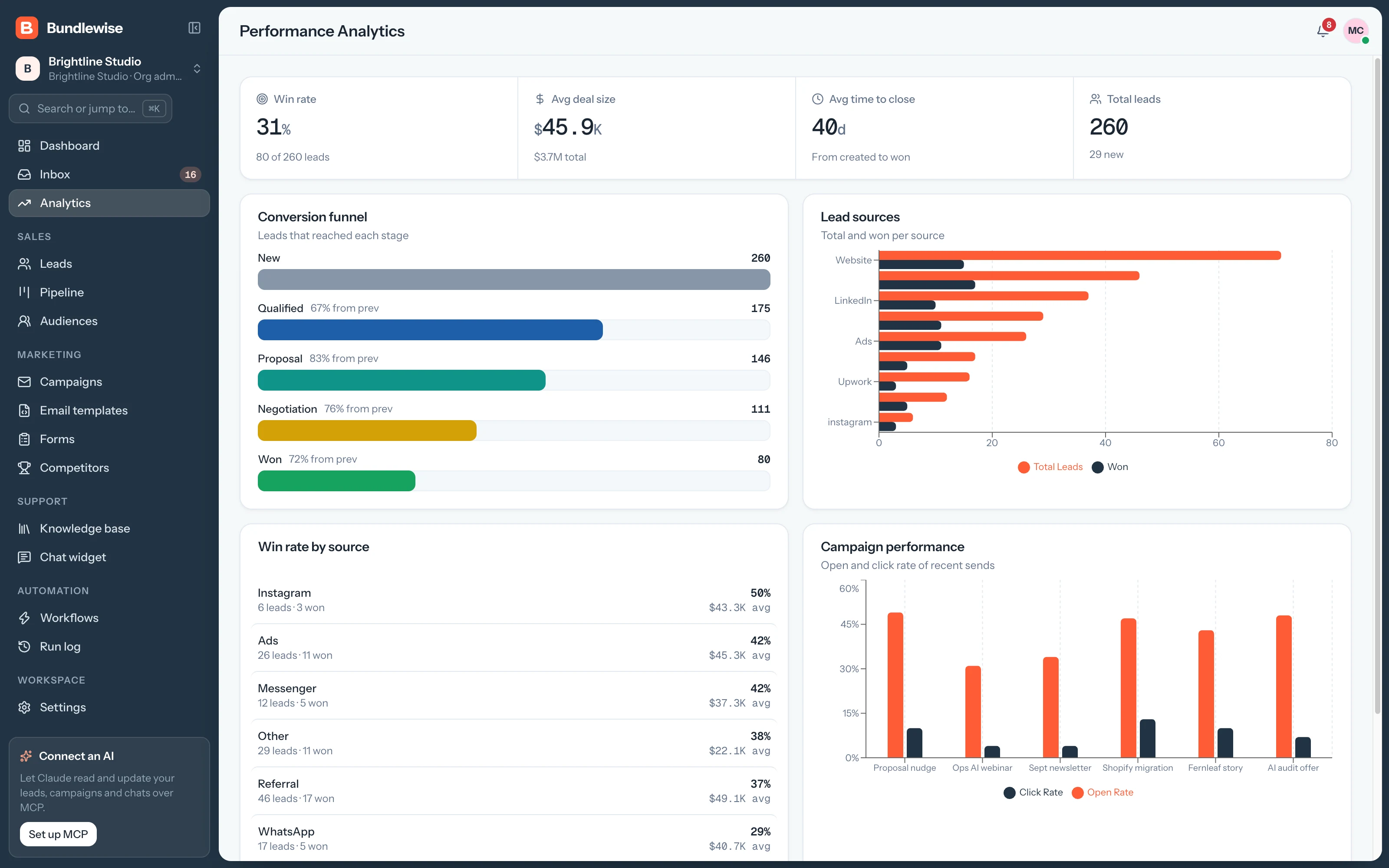
    • Win rate and average deal size
    • Average time to close
    • Total leads
    Analytics key numbers
Capabilities

The numbers behind your pipeline.

Analytics

Where every lead came from.

Lead sources, win rate and conversion, always up to date. Hover the card to animate.

KPIs

Key numbers

Total leads, win rate, average deal size and average time to close.

Funnel

Conversion funnel

Leads that reached each stage and the share that moved on.

Sources

Lead sources

Total and won leads per source, plus win rate by source.

Email

Campaign results

Open and click rates for your recent campaign sends.

By the numbers

Answers from the data you already have.

reports to build
0
Analytics reads stages, values and sources from your leads.
headline numbers
4
Total leads, win rate, deal size and time to close.
funnel
1
Every stage, your custom ones included.
By team

Questions each team answers here.

Agency owner

Know which channel to invest in.

Compare won leads per source before the next budget call.

Agency owner playbook0/4 done
  1. Open Lead sources
  2. Compare won leads per source
  3. Check win rate by source
  4. Move budget to the best one
What your agent can do

Read and act across the whole workspace.

Connect Claude, ChatGPT, Cursor, Claude Code, Codex or Antigravity. Sign in with OAuth, then find hot leads, preview campaigns and build workflows in plain language, on live CRM data.

  • Claude Desktop
  • ChatGPT
  • Cursor
  • Claude Code
  • Codex
  • Antigravity
Set up MCP
/api/v1/mcp · OAuth
Which deals moved to Proposal this week?
Analytics FAQ

Good questions.

Analytics guide

From your leads and deals: stages, deal values, sources and close dates. There's nothing to import or set up.

Win rate counts deals in the Won and Lost stages. Close a few deals and it fills in.

Yes. Campaign performance shows open and click rates for recent sends.

Find out what's actually closing.

Move a few deals to Won and watch win rate, deal size and sources fill in.