Skip to content
Log inGet started free
Multi-step email sequences

Outreach sequences, sent from your own inbox.

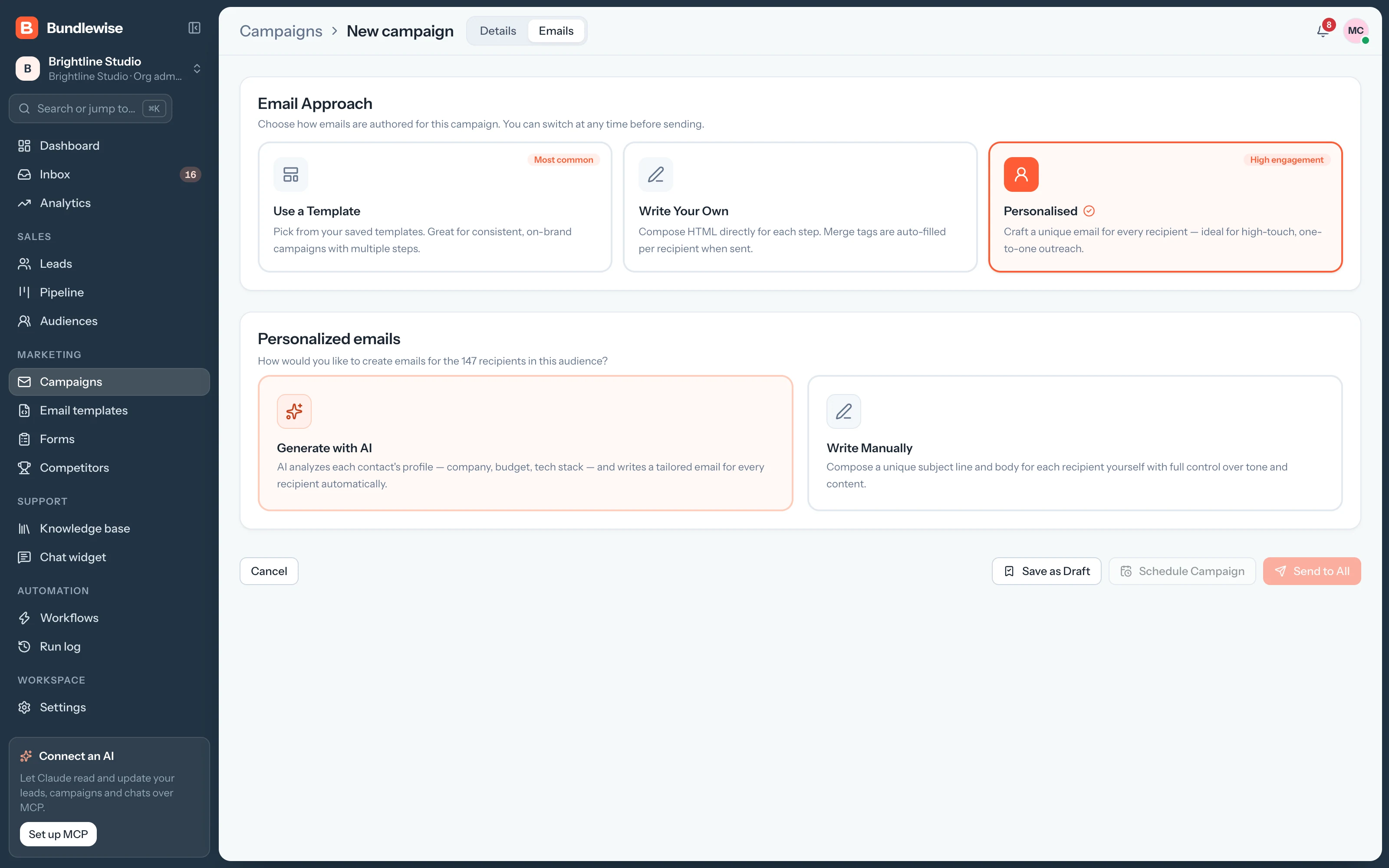
Pick an audience and a sender, write or generate the emails, and add follow-ups for anyone who doesn't reply. Then send now or schedule it.

Spring outreachDraft
To
31 recipients after preview
  1. Intro emailScheduledTue, Oct 27
    Intro call
  2. Follow-upScheduledThu, Oct 29
    Quick nudgeWait2 days
  3. Case studyScheduledMon, Nov 2
    Brightpath resultsWait4 days

Follow-ups go only to people who haven't replied, from the same sender.

Live demo · pick an audience, change the waits
Before and after

Outreach that follows up for you. From your own inbox.

Copying names into emails and remembering who to chase takes hours, and the second email often never goes out.

  • Pick who gets it
    Export contactsfilter a sheet
  • Personalize each email
    Mail-merge add-onmanual edits
  • Chase non-replies
    Calendar reminderresend by hand
Campaign builder

From audience to sent in three steps.

Name the campaign, choose who it's from and who it goes to, and preview the recipients before anything sends.

  1. Choose a connected sender and an audience list, then check the estimated recipients. Pause anytime to fix copy or sending limits.
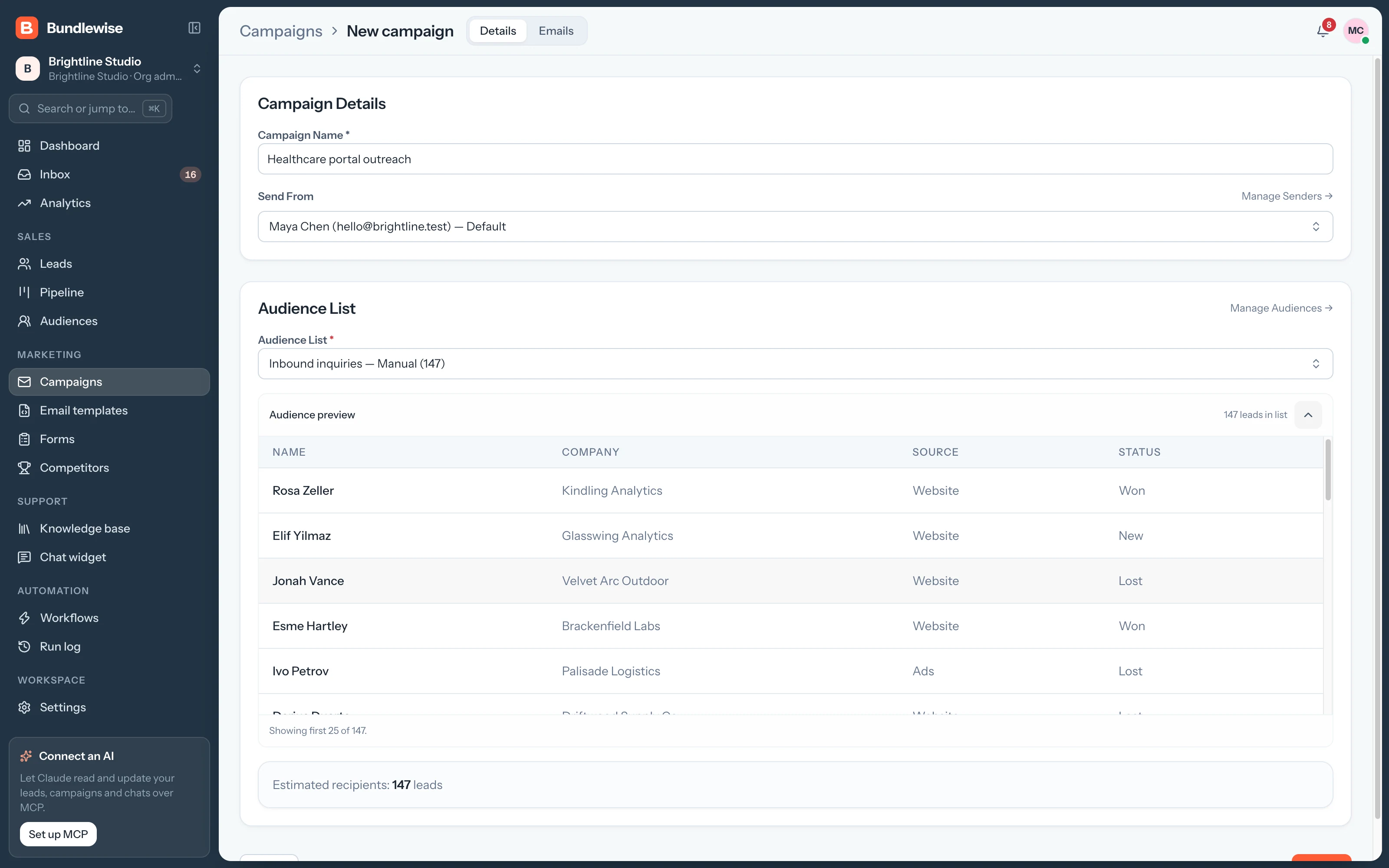
    • Send from Gmail, Microsoft or SMTP
    • Target any audience list
    • Preview recipients before you send
    Campaign details with sender, audience and recipient preview
Capabilities

Everything a sequence needs.

Campaigns

Drip sequences, sent from you.

Multi-step outreach from your connected Google Workspace, Microsoft 365 or SMTP sender.

To

Audience targeting

Send to any audience list and preview the recipients first.

From

Your own sender

Send from connected Gmail, Microsoft or SMTP addresses.

Copy

Four ways to write

A template, your own copy, AI per lead, or personalized by hand.

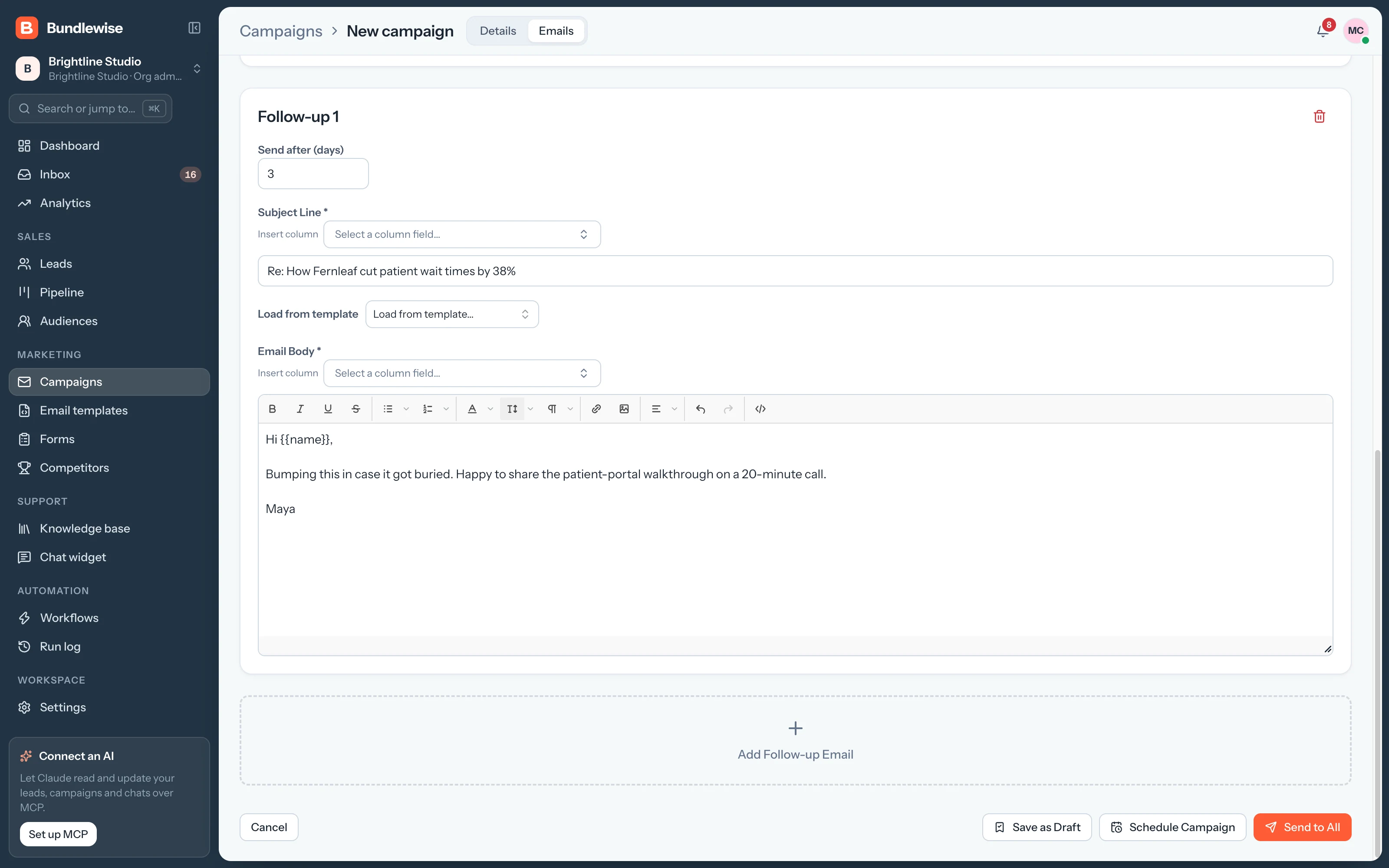
Sequence

Follow-ups with delays

A second and third touch for people who don't reply.

By the numbers

Sequences that send themselves.

ways to write
4
Template, your own, AI or personalized by hand.
manual resends
0
Follow-ups go out after the delay you set.
place for results
1
Open and click rates sit in Analytics.
By team

Campaigns each team runs.

Marketing

Turn a webinar list into meetings.

Everyone who signed up gets a personal intro and two follow-ups.

Marketing playbook0/4 done
  1. Pick the Webinar sign-ups audience
  2. Start from the Intro template
  3. Add a follow-up after 3 days
  4. Schedule it for Monday 9:00
What your agent can do

Read and act across the whole workspace.

Connect Claude, ChatGPT, Cursor, Claude Code, Codex or Antigravity. Sign in with OAuth, then find hot leads, preview campaigns and build workflows in plain language, on live CRM data.

  • Claude Desktop
  • ChatGPT
  • Cursor
  • Claude Code
  • Codex
  • Antigravity
Set up MCP
/api/v1/mcp · OAuth
Draft a 3-step sequence for SaaS buyers
Campaigns FAQ

Good questions.

Campaigns guide

Yes. Campaigns send from a sender you connect: Gmail, Microsoft or SMTP. Replies come back to that inbox and show up in the Unified Mailbox.

Yes. Connect OpenAI, Anthropic, Gemini or OpenRouter under AI settings, and the campaign can generate a personalized email for each lead from your system prompt.

Analytics shows open and click rates for recent sends, next to your win rate and lead sources.

Send your first sequence this week.

Connect a sender, pick an audience and schedule your first campaign.