Unified mailbox
Every thread, on the lead.
Two-way email sync with your own domain, and the full history on each lead's timeline.
Read and reply from your connected Gmail, Microsoft or SMTP senders without leaving the CRM. Conversations stay on each lead's timeline.
Here's v2 with the phased rollout we discussed.
Looks good. Can phase two start in January instead of March?
When sales email lives in personal inboxes, nobody has the full story before a call.
Pick a mailbox, open a thread and reply. Teammates see the same context, so nobody has to ask who answered last.
Two-way sync keeps threads on the lead's timeline, so the full history is there before the next call.
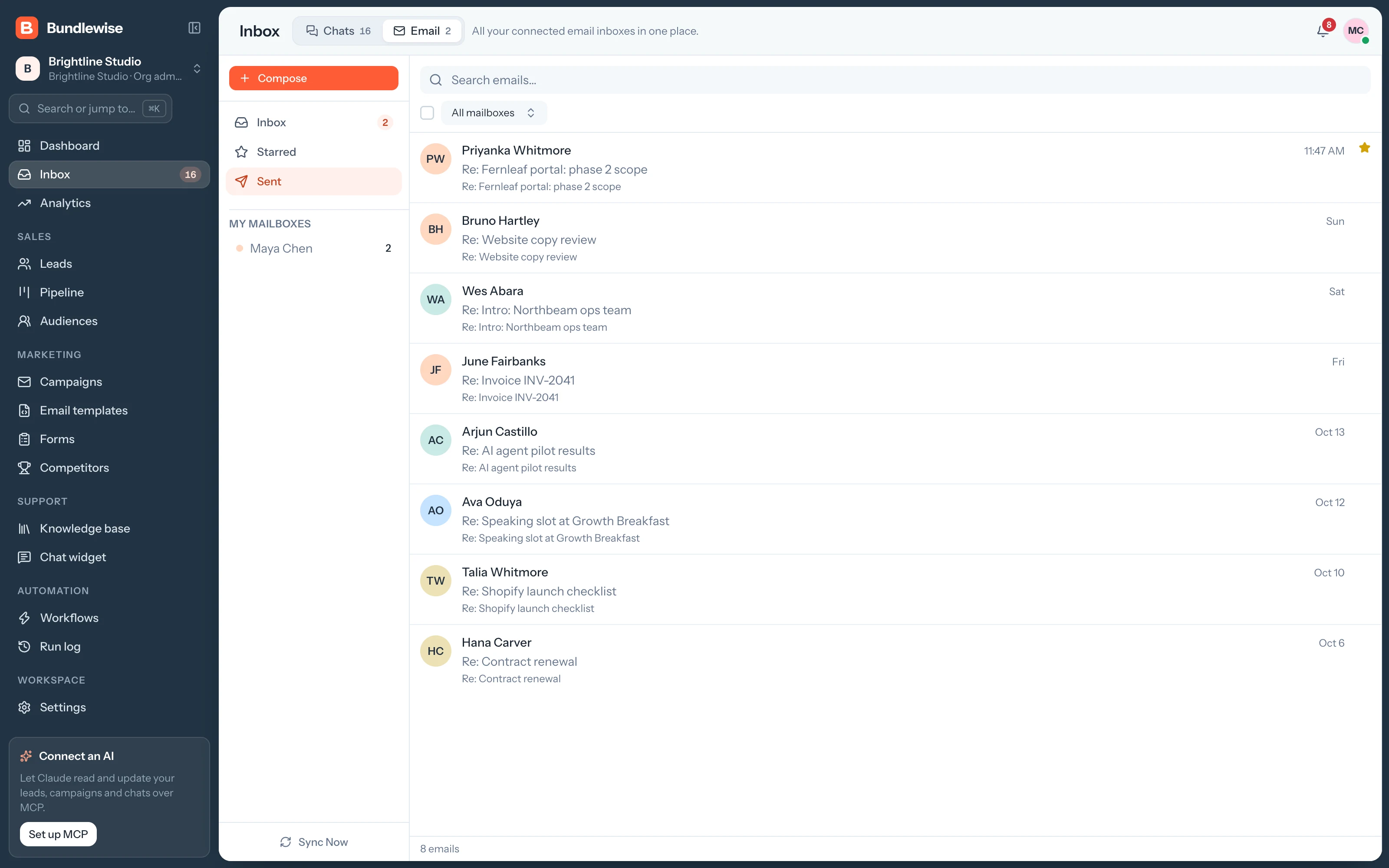
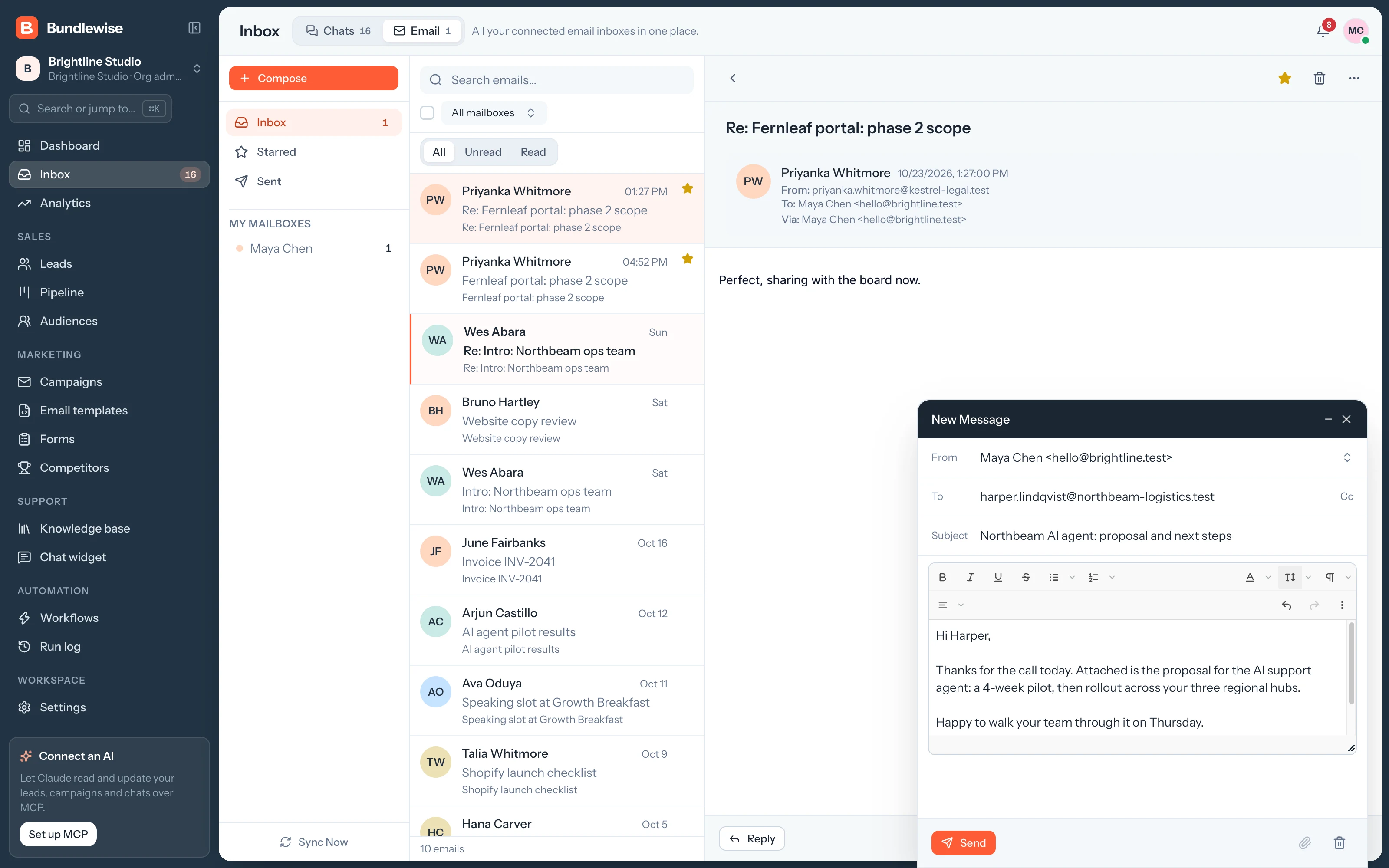
Compose to a lead or any address from a connected sender. Your signature is added, and Sent shows what went out from campaigns and teammates alike.
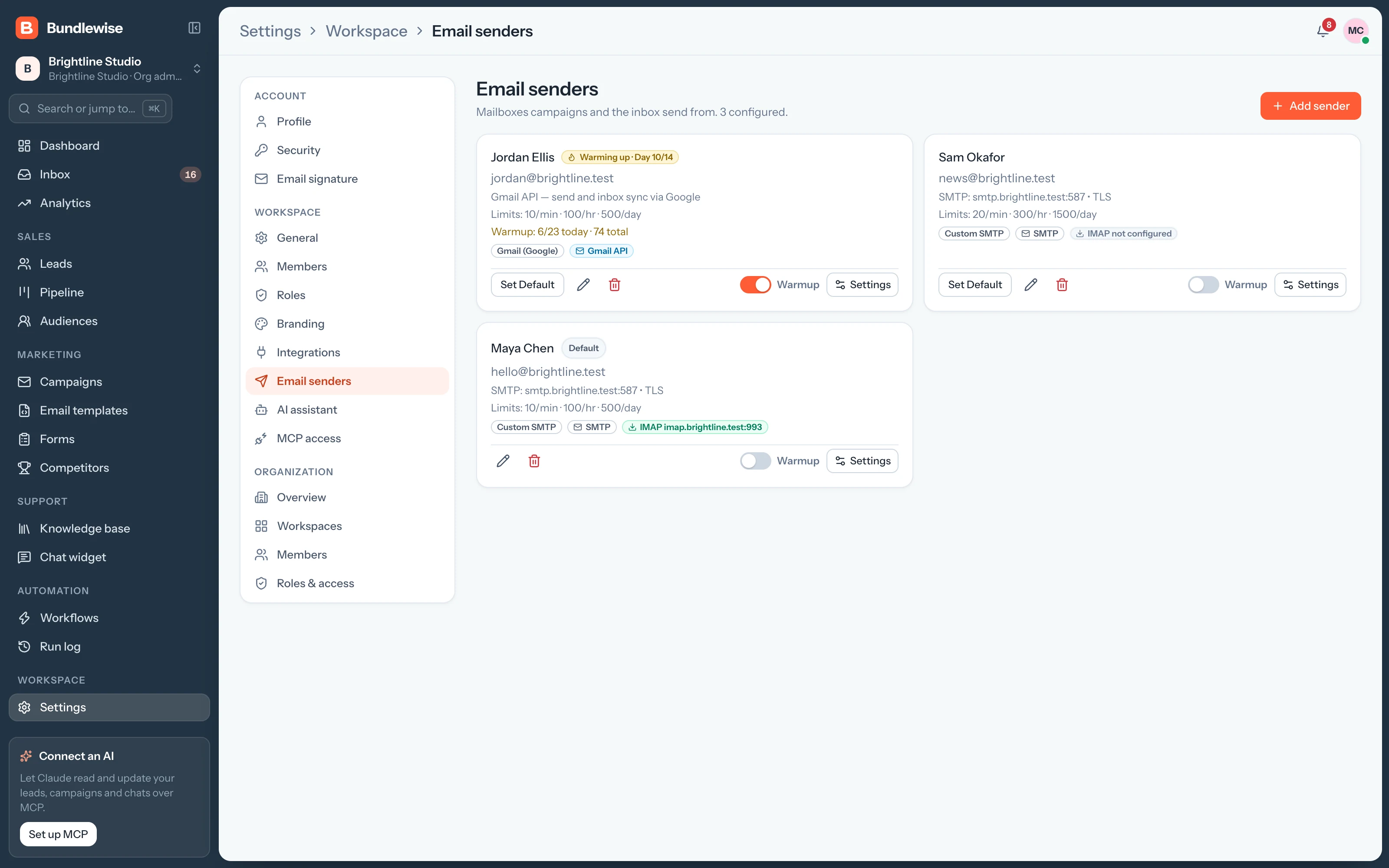
Add Gmail with Google sign-in, Microsoft, or any SMTP provider such as Mailgun, SendGrid or Amazon SES. Each sender shows its sending limits.
Two-way email sync with your own domain, and the full history on each lead's timeline.
Switch between connected senders and read every thread in one place.
Threads save to the lead, so the history is there before the next call.
Write to a lead or any address, with your signature added.
Google or Microsoft sign-in, or SMTP with optional IMAP for replies.
Stage, score and value sit above the thread, so the reply fits where the deal is.
Connect Claude, ChatGPT, Cursor, Claude Code, Codex or Antigravity. Sign in with OAuth, then find hot leads, preview campaigns and build workflows in plain language, on live CRM data.
Connect a sender and reply to leads without switching tabs.