Skip to content
Log inGet started free
Segments for targeted outreach

Segments you can actually act on.

Group leads into lists by fit, stage or intent. Send them a campaign, filter the board by them, or let workflows keep them up to date.

Audiences
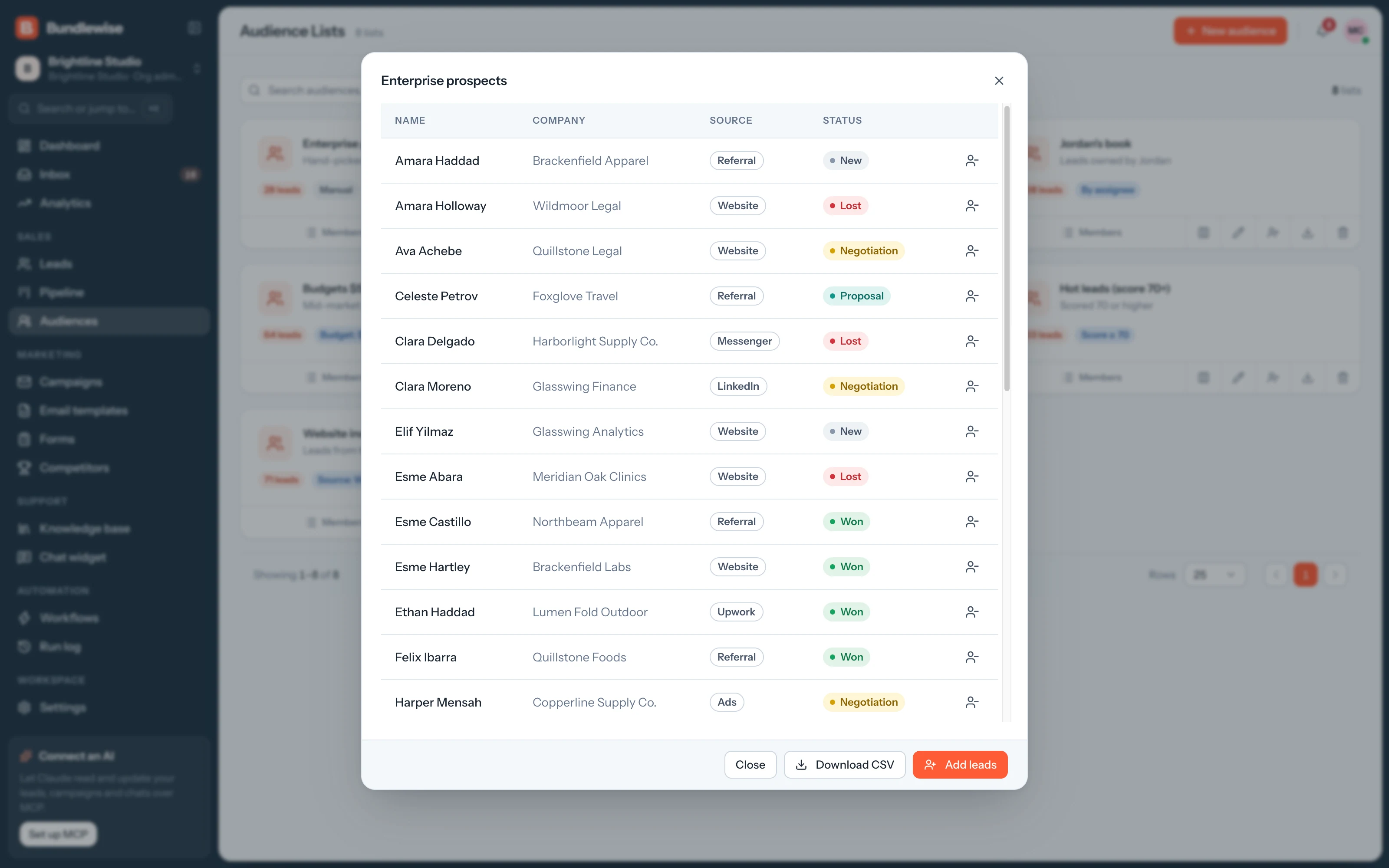
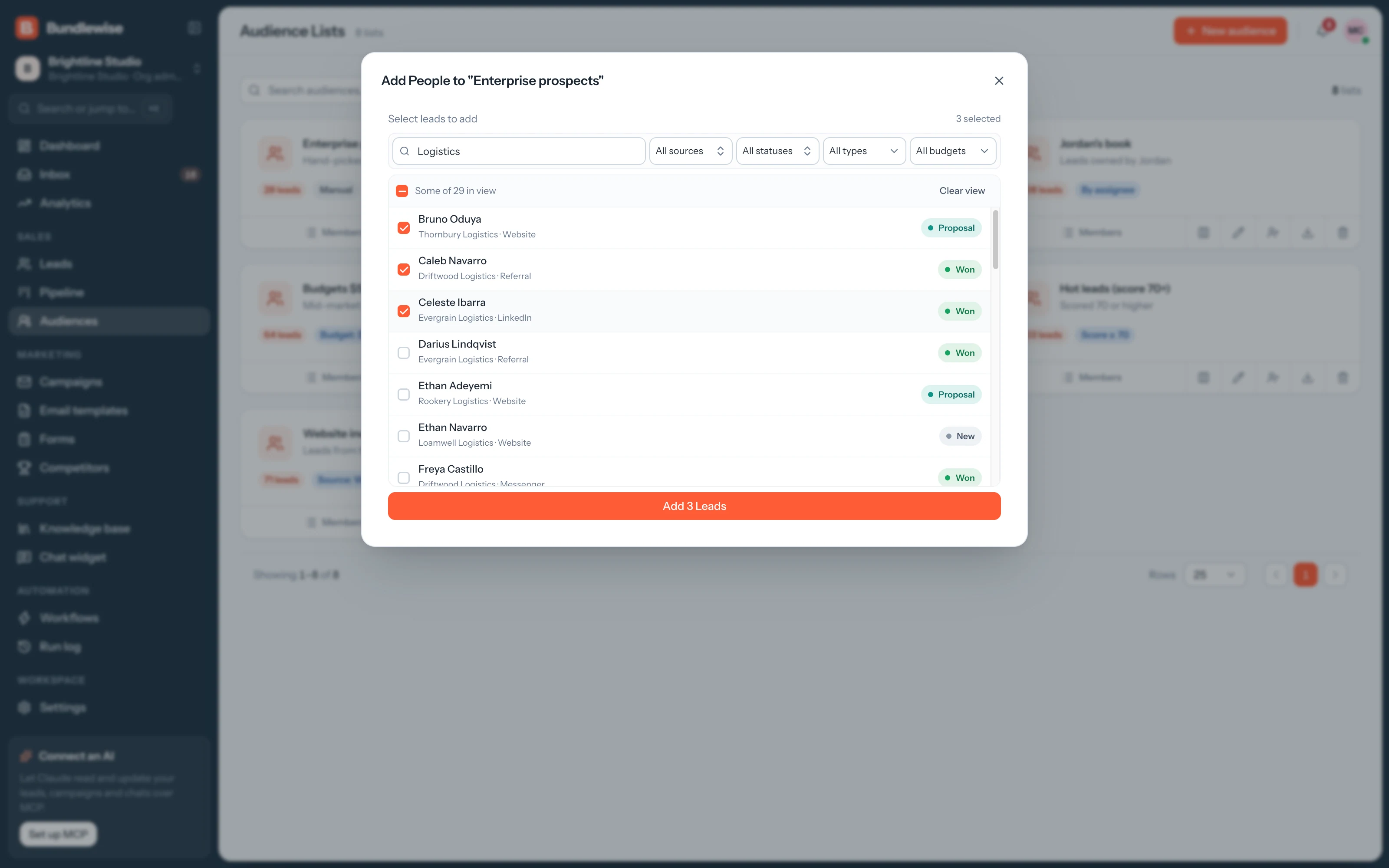
Add existing leads
Campaigns, workflows and the board can all target this list.
Live demo · tick leads, add them to a list
Before and after

Lists everyone can act on. Without exporting a thing.

Segments built in spreadsheets go stale the day they're exported, and each team keeps its own copy.

  • Build a target list
    Filterexportnew sheet
  • Send to the segment
    Upload a CSV to an email tool
  • Keep the list current
    Re-export every week
Audience lists

Lists that match how you sell.

Create lists such as Hot leads 80+ or Enterprise pipeline, with a clear name and description, so everyone targets the same people.

  1. Name it, describe it and add leads in bulk or from a lead's page. Deleting a list never deletes the leads on it.
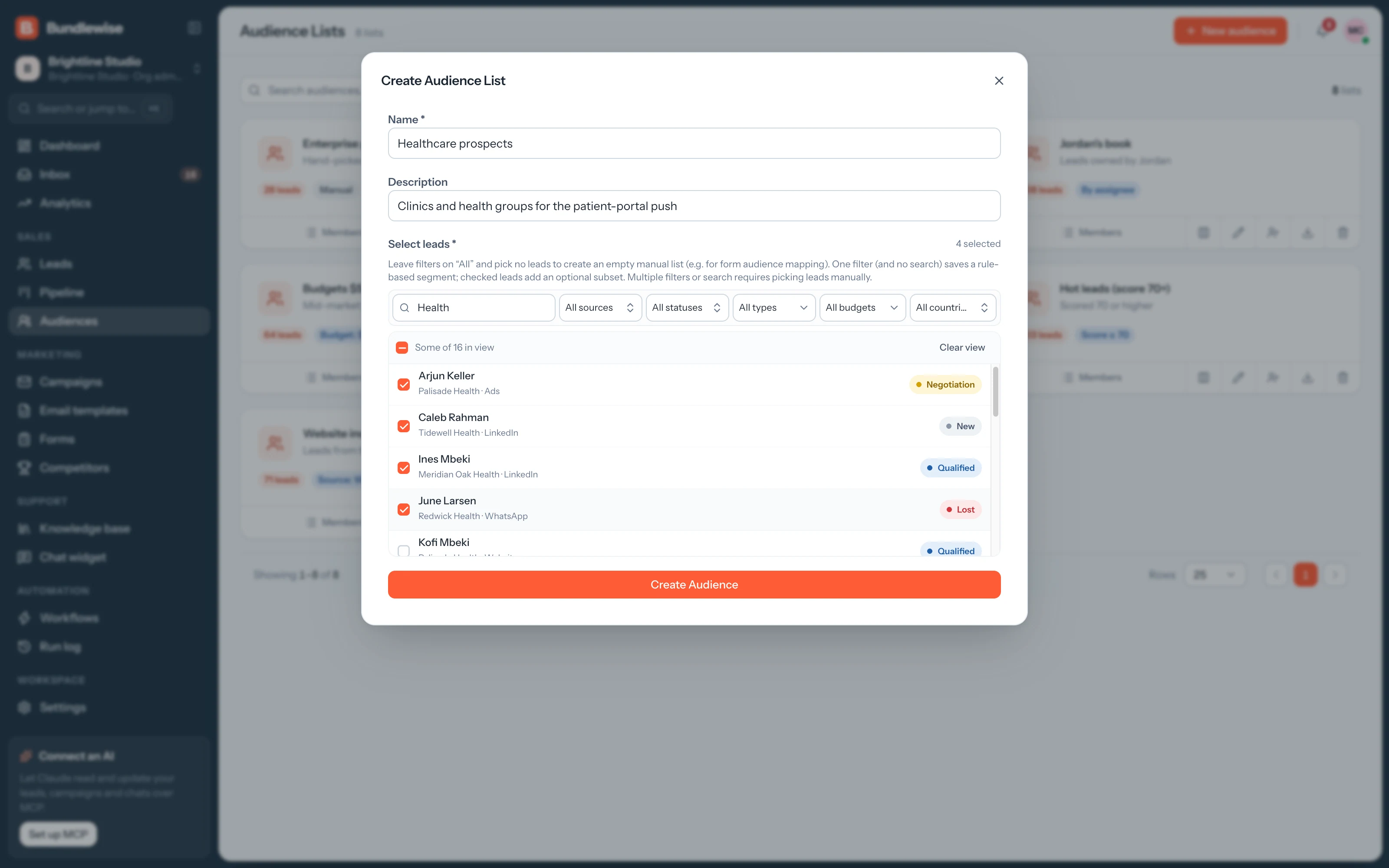
    • A name and description on every list
    • Add leads in bulk
    • Leads stay when a list is deleted
    Creating a new audience list
Capabilities

Lists that every module can use.

Audiences

Segments you can act on.

Group leads by industry, size and engagement, then send them a campaign.

Lists

Named lists

A name and description on every list, such as Hot leads 80+.

Members

Bulk add

Add existing leads in bulk or from a lead's page.

Use

Campaign targeting

Campaigns send to an audience, and the board filters by one.

CSV

Export to CSV

Download any list from its card for offline review.

By the numbers

One list, every module.

modules use it
4
Campaigns, Pipeline filters, Forms and Workflows.
leads lost
0
Deleting a list never deletes the leads on it.
click to CSV
1
Download any list from its card.
By team

Lists each team builds.

Marketing

Build the list for a launch.

Sign-ups go straight into one list, ready for the launch campaign.

Marketing playbook0/4 done
  1. Create Launch waitlist
  2. Point the sign-up form at it
  3. Send the launch campaign
  4. Export it for the ads team
What your agent can do

Read and act across the whole workspace.

Connect Claude, ChatGPT, Cursor, Claude Code, Codex or Antigravity. Sign in with OAuth, then find hot leads, preview campaigns and build workflows in plain language, on live CRM data.

  • Claude Desktop
  • ChatGPT
  • Cursor
  • Claude Code
  • Codex
  • Antigravity
Set up MCP
/api/v1/mcp · OAuth
Find leads scoring 80+ with no owner
Audiences FAQ

Good questions.

Audiences guide

Nothing. Deleting a list removes the segment only. The leads stay in your CRM.

Yes. Forms add submissions to their assigned audience, and workflows can add leads with the Add to audience action.

Yes. Download any audience as a CSV.

Build your first segment.

Group your best-fit leads and send them a campaign this week.