Skip to content
Log inGet started free
Embeddable lead capture

Forms that turn visitors into leads.

Build branded forms, share a link or embed them on your site. Every submission becomes a lead in the right audience, ready for your workflows.

Project inquiryPublished
Step 1 · About you3
Full name
Work email
Company
Step 2 · Your project2
Budget
Project details
New submissionNewRidgeway Fitness · 2m ago
Live demo · move fields, map them, share the form
Before and after

From form fill to lead in one step. No exports.

Form tools collect answers in their own inbox. Someone still has to copy each one into the CRM.

  • Capture an inquiry
    Form toolemail alertcopy into CRM
  • Put it in the right list
    Tag it later by hand
  • Follow up fast
    Check the inboxwrite a reply
Form builder

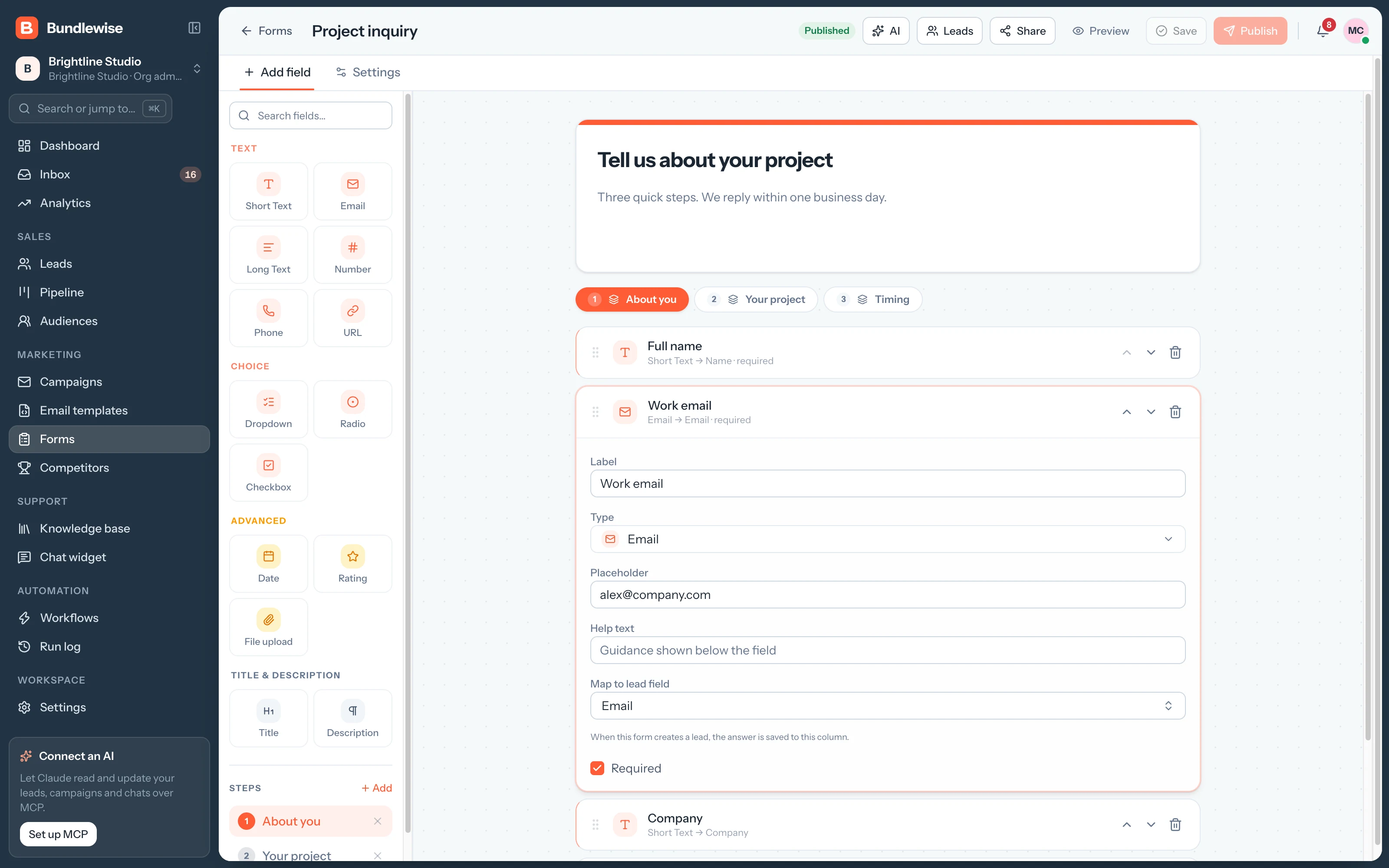
Drag in the fields you need.

Text, email, phone, dropdowns, checkboxes, dates, ratings and file uploads, with steps for longer forms. Preview it, then publish.

  1. Assign an audience and each field lands in the matching lead column, so every submission is ready to work.
    • Multi-step forms
    • Draft until you publish
    • Custom link and thank-you behavior
    Form builder with the field list and form canvas
Capabilities

Forms that know where answers go.

Forms

Branded forms that route themselves.

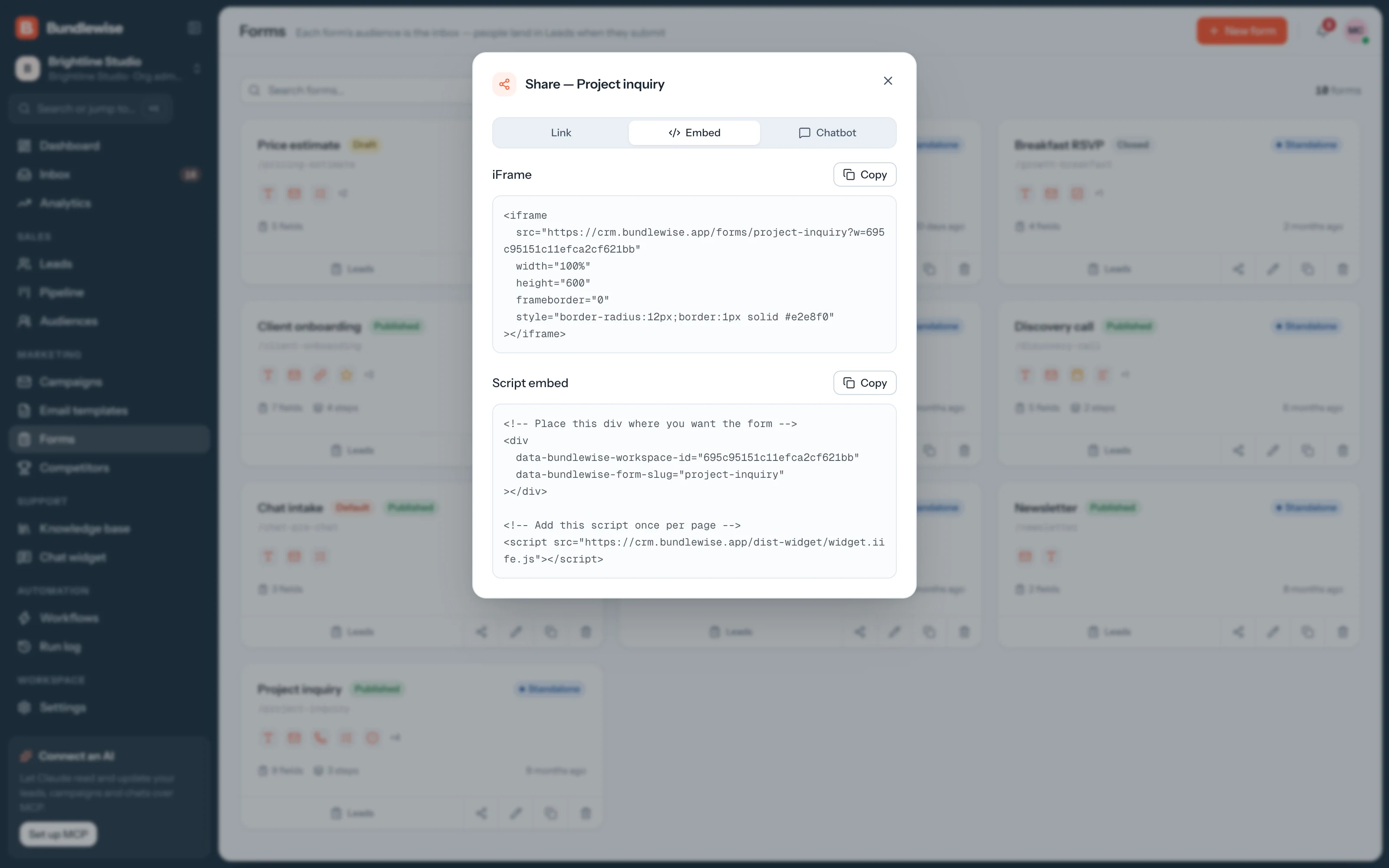
Embed anywhere. Every submission becomes a lead in New, with its source.

Builder

Every field type

Text, email, phone, dropdown, checkbox, date, rating and file upload, with steps for longer forms.

Map

Mapped to lead columns

Assign an audience and each field lands in the matching lead column.

Share

Share anywhere

A public link, an embed snippet or a pre-chat step in the chat widget.

Automate

Ready for workflows

A form-submitted trigger can tag, assign and reply the moment it lands.

By the numbers

Every submission ready to work.

ways to share
3
A link, an embed or a pre-chat form in the widget.
field types
8+
Plus steps for multi-step forms.
copy-paste
0
Submissions land in Leads by themselves.
By team

Forms each team publishes.

Marketing

Turn a landing page into leads.

Visitors fill in the form, and each one arrives as a lead in the right audience.

Marketing playbook0/4 done
  1. Build the form with two steps
  2. Assign the Website inquiries audience
  3. Embed it on the page
  4. Watch submissions land in Leads
What your agent can do

Read and act across the whole workspace.

Connect Claude, ChatGPT, Cursor, Claude Code, Codex or Antigravity. Sign in with OAuth, then find hot leads, preview campaigns and build workflows in plain language, on live CRM data.

  • Claude Desktop
  • ChatGPT
  • Cursor
  • Claude Code
  • Codex
  • Antigravity
Set up MCP
/api/v1/mcp · OAuth
Find leads scoring 80+ with no owner
Forms FAQ

Good questions.

Forms guide

Yes. Paste the embed snippet into any page, share the public link, or attach the form to the chat widget.

Each submission creates a lead in the audience assigned to the form. You can also open a form's submissions from the Forms page.

Yes. Use a workflow with the Form submitted trigger to tag the lead, assign an owner, add a note or notify your team.

Publish a form in minutes.

Build a contact or demo form and watch submissions arrive as leads.