Skip to content
Log inGet started free
Battlecards for every rival

Battlecards for every rival you meet.

Keep a profile for each competitor, with strengths, weaknesses, pricing, services and threat level, so reps walk into every call prepared.

Competitors
Northbeam CRMnorthbeam.ioHigh threat
  • Per-seat price for every add-on
  • Chat and forms cost extra
Notes for reps

One workspace with every core module included, and no per-seat add-ons.

Updated by Nadia Karim · 2 days ago
Live demo · open a rival's battlecard
Before and after

Ready when a rival comes up. Every rep, same answer.

Competitive notes live in one rep's head or an old slide, so every call starts from scratch.

  • Answer 'how are you different?'
    Search team chatold slide deck
  • Keep pricing current
    Bookmarksscreenshots
  • Share what you learned
    Mention it in standup
Competitive intel

Win the comparison before it starts.

When a prospect names a rival, the answer is one click away: where you're stronger, where they are, and what they charge.

  1. Strengths, weaknesses, pricing and notes live on the competitor's profile, shared with the whole team.
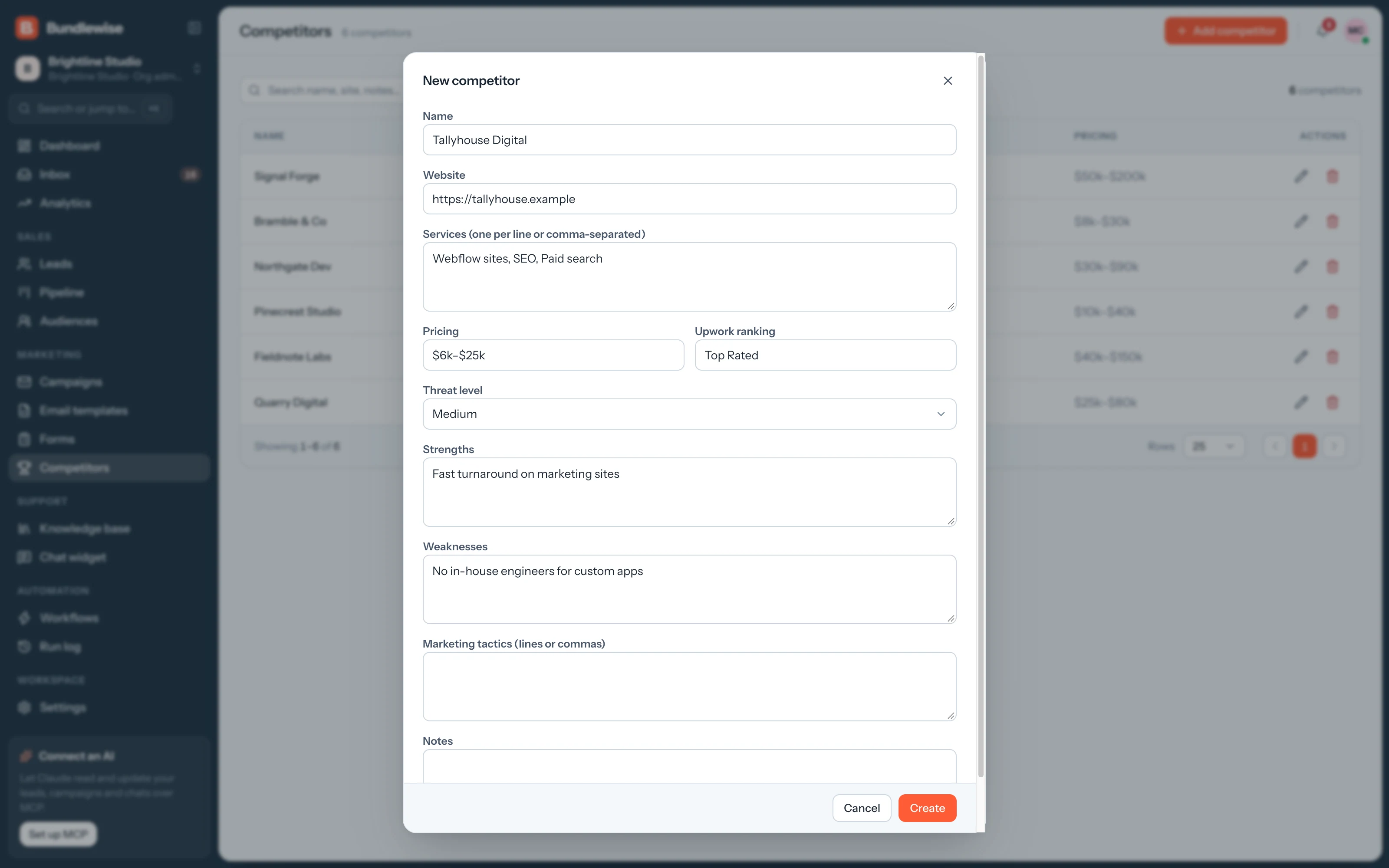
    • Strengths, weaknesses and pricing
    • Services and marketing tactics
    • Threat level and Upwork ranking
    Adding a new competitor
Capabilities

Battlecards the whole team shares.

Competitors

Battlecards for every rival.

Track which deals mention a competitor and keep objection answers up to date.

Profiles

Competitor profiles

Website, services, pricing, strengths, weaknesses and notes for each rival.

Threat

Threat level

Mark each rival's threat level so reps know where to focus.

Intel

Marketing tactics

Note how each competitor sells, so you can position against it.

AI

Over MCP

Cursor or Claude can pull up a profile mid-call or add notes after it.

By the numbers

Competitive intel in one place.

profile per rival
1
Shared with everyone in the workspace.
fields per profile
9
Website, services, pricing, strengths, weaknesses, tactics, threat level, Upwork ranking and notes.
slide decks to find
0
Update a profile once and every rep sees it.
By team

How each team uses battlecards.

Sales

Handle the objection live.

Open the battlecard when the rival comes up and answer with confidence.

Sales playbook0/4 done
  1. Open the rival's battlecard
  2. Check their weaknesses
  3. Answer with your strengths
  4. Add what you heard to the notes
What your agent can do

Read and act across the whole workspace.

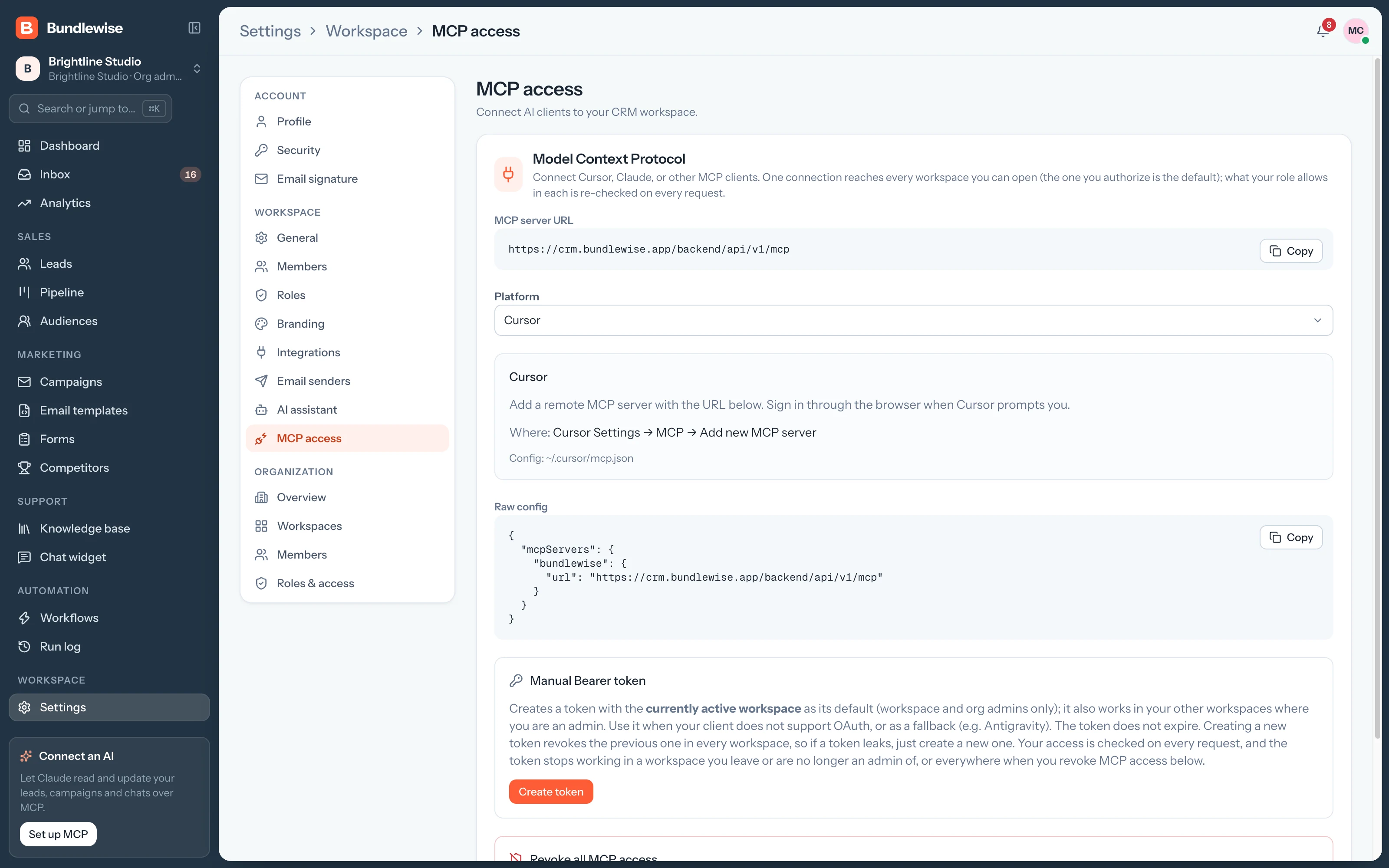
Connect Claude, ChatGPT, Cursor, Claude Code, Codex or Antigravity. Sign in with OAuth, then find hot leads, preview campaigns and build workflows in plain language, on live CRM data.

  • Claude Desktop
  • ChatGPT
  • Cursor
  • Claude Code
  • Codex
  • Antigravity
Set up MCP
/api/v1/mcp · OAuth
Which deals moved to Proposal this week?
Competitors FAQ

Good questions.

Competitors guide

Website, services, pricing, strengths, weaknesses, marketing tactics, threat level, Upwork ranking and team notes.

Everyone in the workspace, so reps, marketers and founders work from the same notes.

Yes. Connected over MCP, your AI client can read and update competitor profiles within your role.

Arm your team for the next comparison.

Add your top three competitors and share the battlecards today.