Skip to content
Log inGet started free
IF → THEN automations and run log

Pick a trigger. Add actions. Watch it run.

Build IF → THEN automations for new leads, form submits, stage changes and score thresholds without writing code. The run log shows every result.

Hot inboundActive
WhenForm submitted · Project inquiry
IfBudget is $15K or more
Then 1Add tag · Inbound
Then 2Assign to Nadia Karim
Then 3Send email · Thanks for reaching out
Run log · Ridgeway Fitness
    Live demo · pick a workflow or run a test
    Before and after

    Follow-up that never forgets. IF this, THEN that.

    Manual follow-up depends on someone remembering. Workflows run the same steps on every lead and log each run.

    • Reply to a new inquiry
      Inbox alertcopy templatesend
    • Assign hot leads
      Weekly sheet reviewchat message
    • Check what went out
      Search sent mailguess
    Workflow builder

    Automate the follow-up nobody has time for.

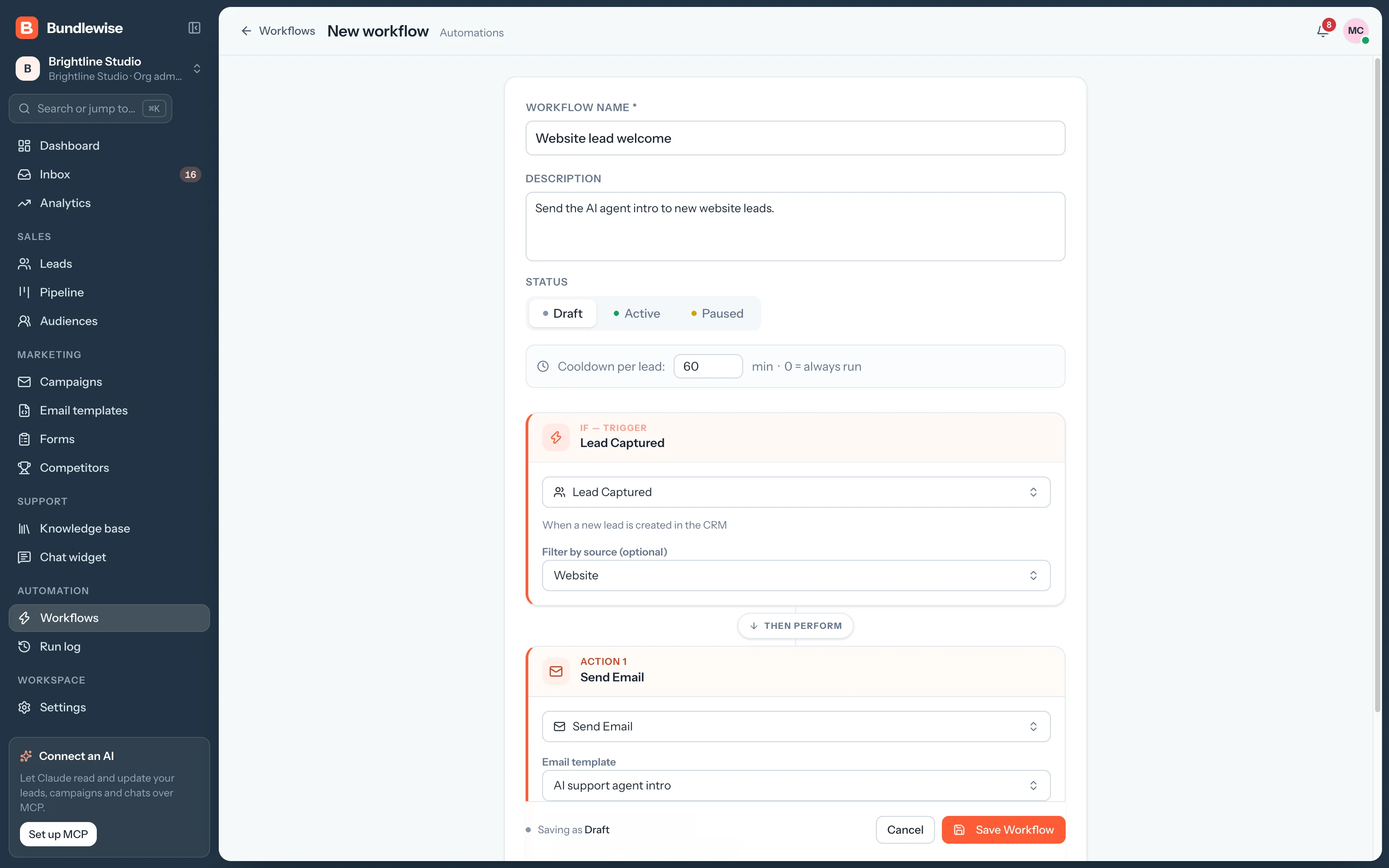
    Start from a trigger, add the actions that should follow and switch it on. Draft, Active and Paused keep your tests apart from live work.

    1. Send an email, tag the lead, add a note, assign an owner, add to an audience or notify the team, with waits in between.
      • Draft, Active and Paused statuses
      • A cooldown per lead, so nobody gets the same email twice
      • Run counts on every workflow
      Workflow builder with an IF trigger and THEN actions
    Capabilities

    Triggers, actions and a log for every run.

    IF

    Triggers for every moment

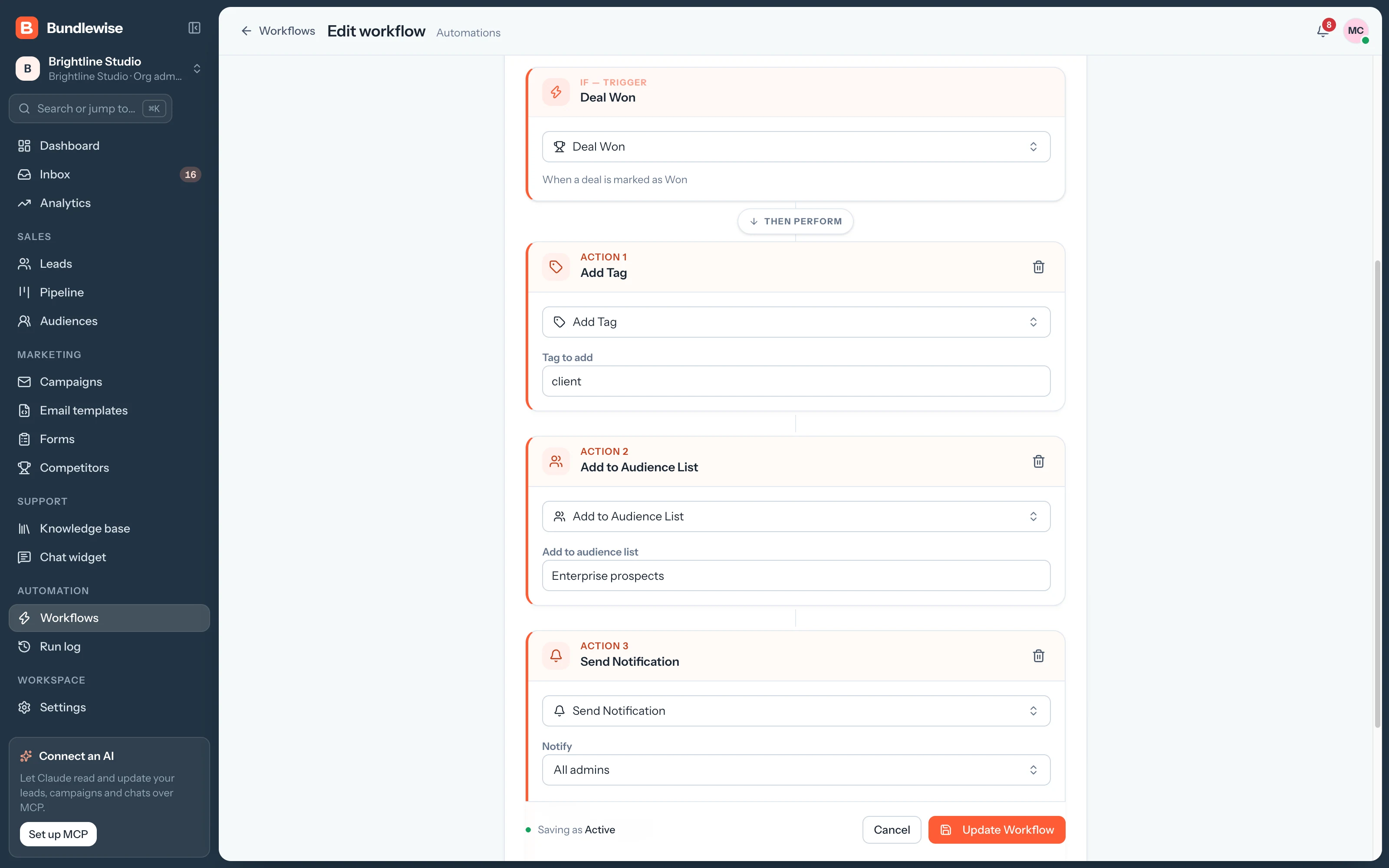
    Lead captured, form submitted, stage changed, score threshold, deal won or lost, and no activity.

    THEN

    Actions in order

    Send an email, add a tag or note, assign, add to an audience or notify, with waits in between.

    Cooldown

    Cooldown per lead

    Set the minutes between runs so nobody gets the same email twice.

    Audit

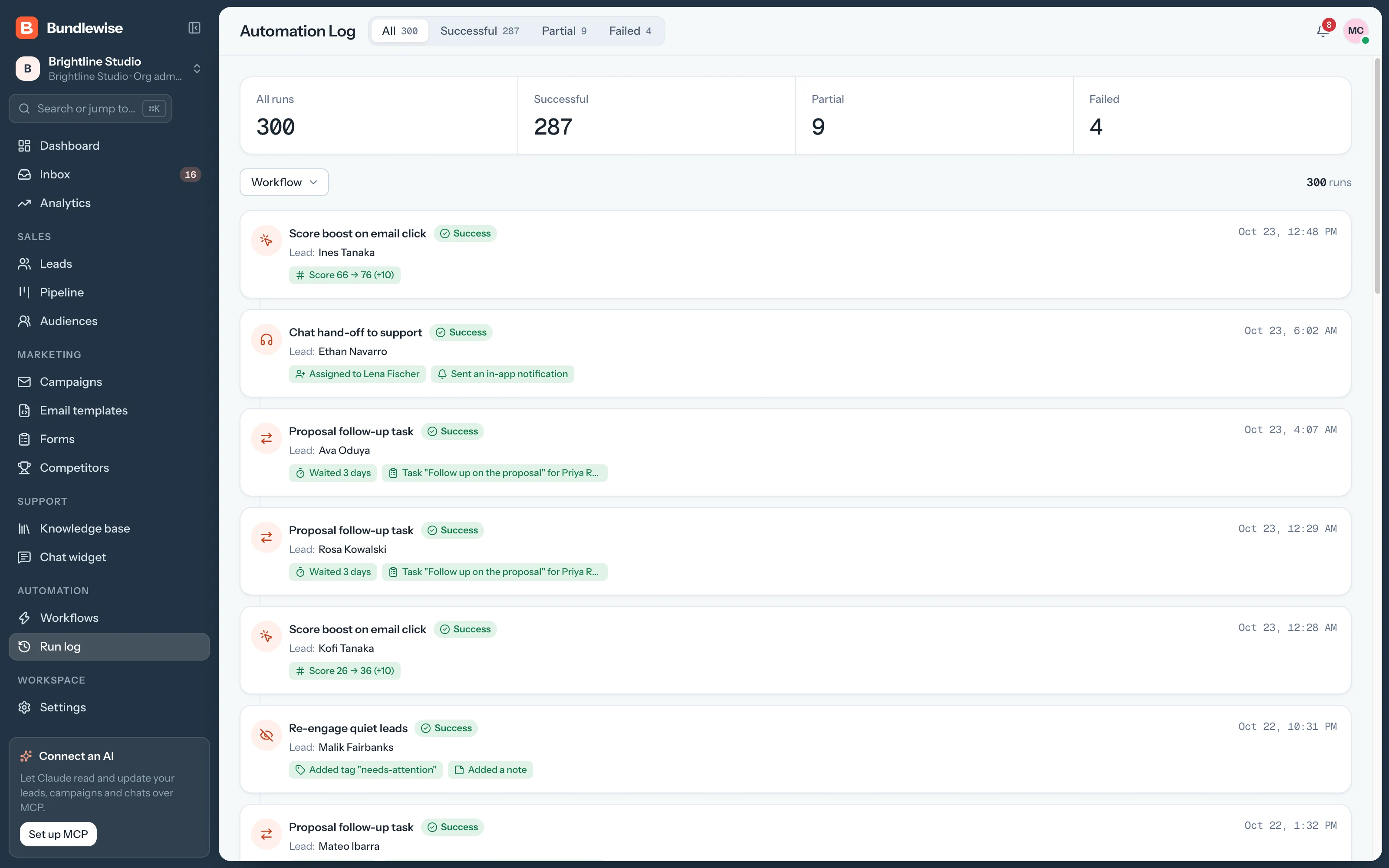
    Run log

    Every run with its trigger, its lead and the result of each action.

    Workflows

    Pick a trigger. Watch it run.

    Workflows start on form submits, stage changes or score thresholds.

    WHENA form is submitted · Project inquiry
    IFBudget is $15K or more
    THENAdd tag · InboundAssign to Nadia KarimSend template · Thanks for reaching out
    Run log: Ridgeway Fitness · 3 actions · 2 min ago
    By the numbers

    Automation you can trace.

    lines of code
    0
    Every workflow is built from triggers and actions.
    statuses
    3
    Draft, Active and Paused keep tests apart from live work.
    log entry per run
    1
    With the trigger, the lead and each action's result.
    By team

    The follow-up each team automates first.

    Sales

    Never let a hot lead wait.

    When a score crosses 80, the lead gets an owner and an intro email right away.

    Sales playbook0/4 done
    1. Trigger: score threshold 80
    2. Assign to the right owner
    3. Send the Intro call template
    4. Notify the owner
    What your agent can do

    Read and act across the whole workspace.

    Connect Claude, ChatGPT, Cursor, Claude Code, Codex or Antigravity. Sign in with OAuth, then find hot leads, preview campaigns and build workflows in plain language, on live CRM data.

    • Claude Desktop
    • ChatGPT
    • Cursor
    • Claude Code
    • Codex
    • Antigravity
    Set up MCP
    /api/v1/mcp · OAuth
    Why did Hot inbound skip Halcyon Travel?
    Workflows FAQ

    Good questions.

    Workflows guide

    No. Pick a trigger and actions from lists in the builder. Workflows run on Bundlewise's servers, so nothing has to stay open on your computer.

    Set a cooldown per lead in minutes. During the cooldown the workflow skips that lead. A cooldown of 0 means it runs every time.

    The run log records the failure with the lead and the action, so you can see what went wrong and fix the template or sender.

    Put your follow-ups on autopilot.

    Switch on a form-submitted workflow and watch the first run land in the log.