
Free Shipping
In the app: Free Shipping. Show a progress bar toward free shipping and optional upsell products.
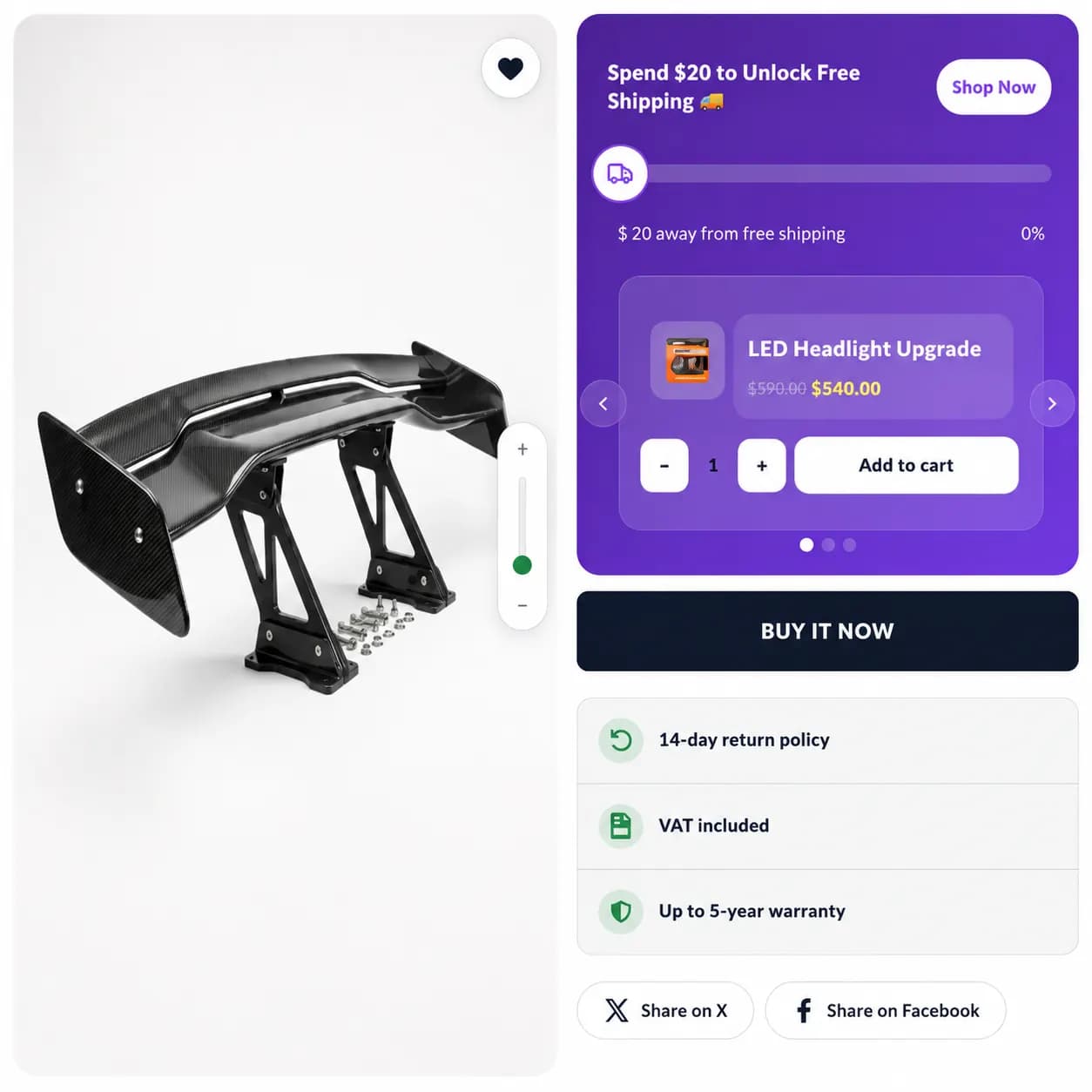
When to use it
- Reduce shipping objections at checkout
- Nudge higher cart value toward a threshold
- Site-wide or cart-only shipping promos
Setup
- Create Campaign → Free Shipping
- Set minimum cart subtotal for free shipping
- Optional upsell products to help reach the goal
- Pages & Display, enable Product, Cart, and/or Entire site tabs
- Choose In Page, Pop-up, or Floating per tab; set in-page position (top/bottom bar on Entire site)
- Publish
Storefront behavior
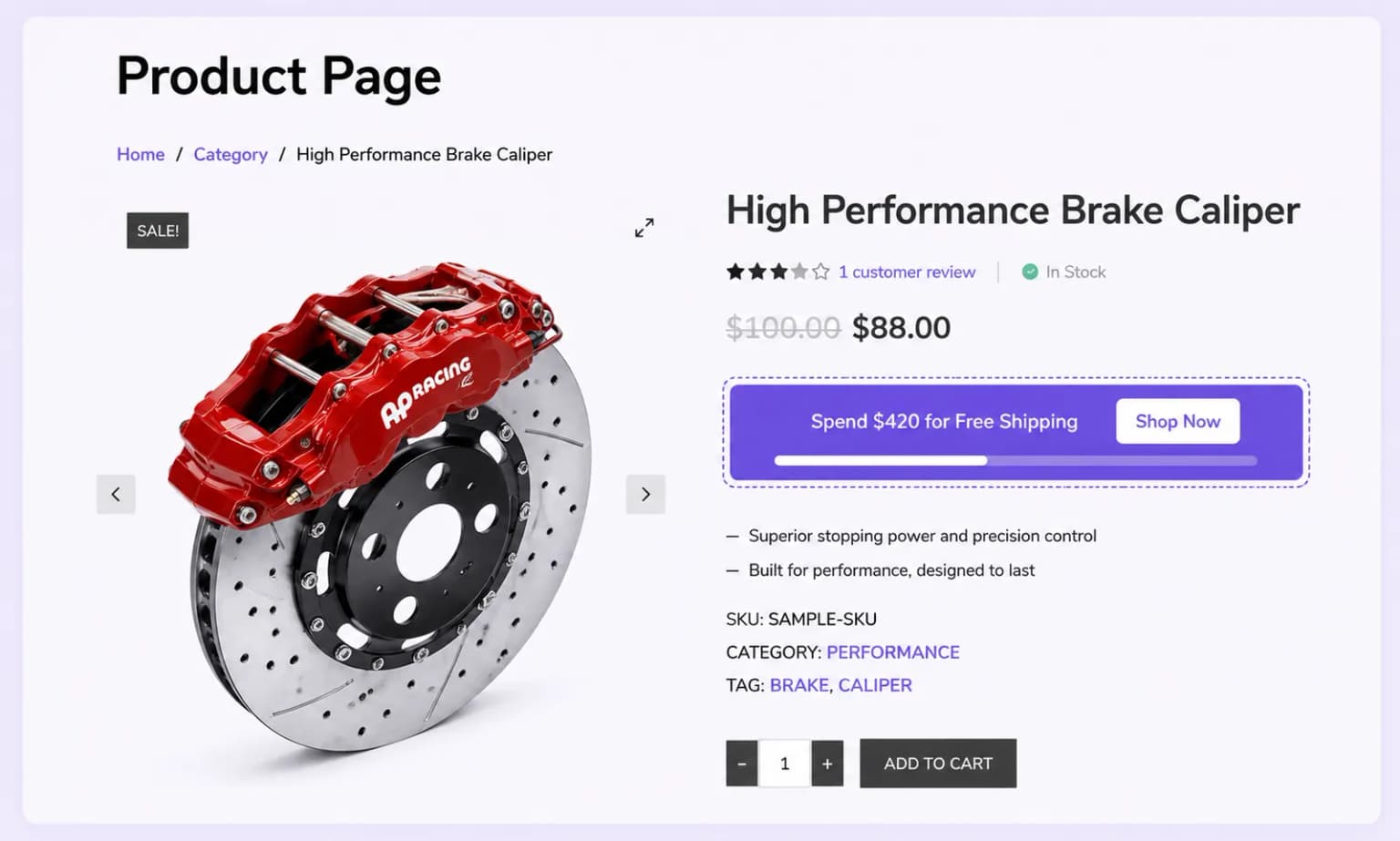
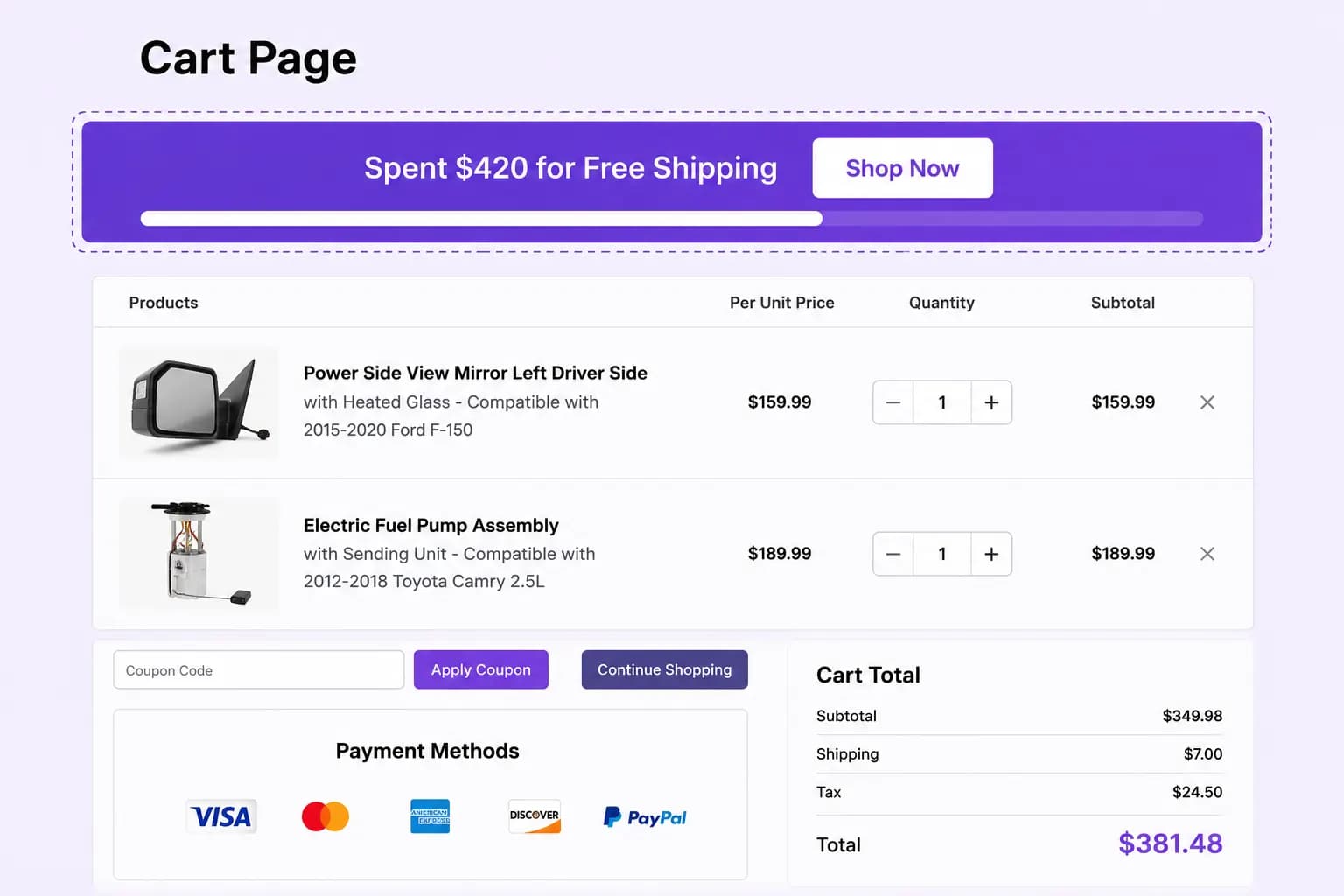
- Bar updates as cart subtotal changes
- Delivery discount may apply at checkout when threshold is met
Placements
Product page, Cart page, and Entire site, not shop grid or email.
Related types
- Spending Goal, multiple milestones beyond shipping alone